
For years, VMware has been one of the leading virtualisation platforms in enterprise environments. Many organisations have built stable, mature infrastructures around it that are perfectly suited to their needs.
However, changes within the VMware ecosystem, particularly in its commercial and licensing models, are prompting many organisations to reassess their virtualisation strategy. This is not necessarily because VMware is no longer a good technology, but because a question that may not have been a priority before has now become increasingly relevant: is it still the option that best fits our company from both a technical and financial perspective?
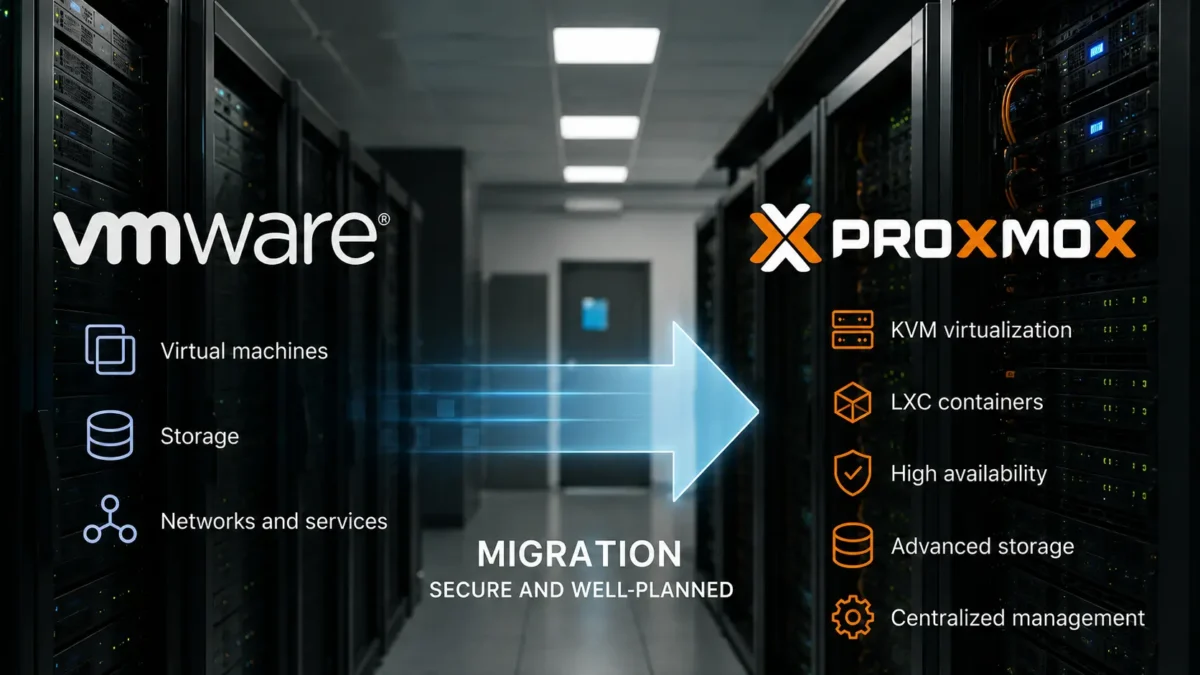
In this context, migrating from VMware to Proxmox has become an alternative that an increasing number of IT managers are considering. Proxmox Virtual Environment provides enterprise virtualisation based on open-source technologies, high availability, clustering, advanced storage, centralised management and specific tools designed to facilitate migration from VMware.
At Inmove IT Solutions, we have already carried out this type of migration. Our experience has confirmed something important: success does not simply depend on replacing one hypervisor with another. It depends on properly analysing the infrastructure, designing the new environment and carrying out the transition without compromising the company’s services.
Why are companies considering migrating from VMware to Proxmox?
Virtualisation remains a fundamental part of many enterprise infrastructures. What is changing is the way organisations evaluate cost, technological dependency and the flexibility of the platforms they use.
VMware remains a very powerful solution, but changes to its commercial model have led many IT departments to review alternatives before renewing or expanding their environments.
With vSphere 9, for example, VMware has moved away from traditional licence keys towards a system based on subscriptions and licence files managed through the VMware Cloud Foundation ecosystem.
This does not mean that companies should automatically abandon VMware. It means that before renewing contracts, adding hosts or undertaking an infrastructure refresh, it may be a good time to compare the available options.
Some organisations are evaluating Proxmox mainly because of:
- The possibility of reducing certain recurring licensing costs.
- Greater independence from a single vendor.
- The use of established open-source technologies.
- Greater flexibility when designing storage and virtualisation architectures.
- Clustering and high-availability capabilities.
- Integration with different backup solutions.
- Centralised management of virtual machines and containers.
This approach also fits with a trend we have already discussed in our article on open-source solutions for businesses: reducing technological dependency does not mean giving up enterprise support, security or capabilities.
What Proxmox offers for enterprise virtualisation environments
Proxmox Virtual Environment is an open-source platform designed to manage virtualised servers from a centralised interface. It combines several established technologies within a single solution.
Its main capabilities include:
- Full virtualisation using KVM.
- Linux containers using LXC.
- Centralised web-based management.
- Multi-node clusters.
- High availability.
- Virtual machine migration between nodes.
- Integration with ZFS, Ceph and different storage systems.
- Software-defined networking capabilities.
- Backup and replication management.
- Integration with Proxmox Backup Server.
The current Proxmox VE 9.2 version continues to develop these capabilities, including improvements related to workload management and balancing.
Proxmox also provides an integrated tool for importing virtual machines from VMware ESXi, which is particularly useful in migration projects. Proxmox’s own documentation explains the migration procedure from VMware.
However, having an import tool does not turn an enterprise migration into an automatic process.
Migrating from VMware to Proxmox is not simply a matter of moving virtual machines
This is probably one of the most important conclusions we have drawn from the projects we have completed. Moving virtual disks can be a relatively straightforward part of the process. What really matters is everything surrounding those virtual machines.
A VMware infrastructure may have evolved over many years, accumulating networks, VLANs, shared storage, snapshots, backup systems, dependencies between servers, firewall rules, monitoring tools and operational procedures.
Before starting a migration, the entire environment needs to be understood.
Inventory of virtual machines and services
The first step is to understand exactly what is running. Simply obtaining a list from vCenter is not enough.
It is important to identify:
- The operating system of each machine.
- Allocated CPU, memory and storage.
- The services and applications it runs.
- Dependencies on other servers.
- Network interfaces and networks in use.
- Existing snapshots.
- Business criticality.
- Available maintenance windows.
A migration is also a good opportunity to identify old machines, unused systems or oversized resources that may have been consuming capacity for years.
Storage and performance
The storage architecture influences a large part of the design of the new Proxmox environment. Not all VMware installations use the same model, and not all businesses require the same solution.
Depending on the scenario, existing storage arrays, local storage, ZFS, distributed solutions such as Ceph or other shared storage architectures may be used.
The decision should be based on performance, capacity, redundancy, expected growth and recovery requirements. At this stage, it is also worth reviewing the enterprise storage solutions that will form part of the new platform.
Networking, VLANs and connectivity
Another critical aspect is correctly reproducing the connectivity already used by the virtual machines.
A VM may boot perfectly after being imported and yet fail to provide its service because the VLAN, bridge, addressing, routes or firewall rules have not been transferred correctly.
For this reason, we document the network architecture in advance and define its equivalent in Proxmox before moving production workloads.
How we approach a VMware-to-Proxmox migration at Inmove IT
No two infrastructures are identical. Even so, the projects we have carried out allow us to follow a methodology that reduces risk and makes the transition much more predictable.
1. We analyse the current VMware infrastructure
We review hosts, versions, virtual machines, storage, networking, backups, high availability and dependencies.
The aim is not to reproduce VMware exactly in Proxmox, but to understand what the company actually needs and design the right architecture.
2. We design the Proxmox architecture
Using the information gathered, we define the hosts, cluster, storage, networks, high availability, backup and monitoring.
In some projects, part of the existing hardware can be reused. In others, the migration coincides with a server or storage refresh, making it more appropriate to deploy a new platform.
3. We prepare the environment before migrating production workloads
Before moving critical servers, we configure the new environment, networks, storage and protection systems.
We also verify that recoverable backups are available. A migration should never be used as a substitute for a proper backup strategy.
At Inmove IT, we implement Proxmox as part of our Open Source solutions for businesses, integrating it with the rest of the infrastructure rather than treating it as an isolated platform.
4. We carry out test migrations
Whenever the scenario allows it, starting with a less critical machine makes it possible to validate the procedure before tackling essential servers.
A test allows us to verify timing, drivers, network interfaces, performance, operating system boot-up and application behaviour.
5. We migrate progressively
Rather than moving the entire infrastructure at once, working in phases is usually safer.
This makes it possible to assess the behaviour of the Proxmox environment as the workload increases and to resolve any incompatibilities before moving on to the next group of servers.
6. We validate services, not just virtual machines
A virtual machine appearing as powered on does not mean the project is complete.
Applications must be checked, users must be able to access them, communications must work correctly, backups must run successfully and monitoring systems must continue receiving data.
Lessons we have learned from migrating VMware environments to Proxmox
After completing several projects, a number of recurring conclusions have emerged. These are precisely the details that separate a simple VM conversion from a properly planned enterprise migration.
A proper inventory prevents problems during migration
The better documented the VMware environment is before starting, the more predictable the migration becomes. Many issues that initially appear to be related to Proxmox actually originate from legacy configurations, outdated operating systems or dependencies that already existed.
A migration is an opportunity to simplify
Not everything in the existing environment needs to be moved exactly as it is. Finding unused machines, historical snapshots or oversized resources is common in infrastructures that have been running for many years.
A migration can also be an opportunity to tidy up the platform and reduce complexity.
The most critical machines should be migrated once the procedure has been validated
Starting with controlled workloads allows the procedure to be refined and provides a realistic understanding of the time required for each phase.
By the time essential servers are migrated, the team already has a methodology that has been tested on the customer’s own infrastructure.
Backup and migration should be designed together
Changing the virtualisation platform also requires a review of how virtual machines are protected.
The new environment should have a backup, retention and recovery strategy in place from the outset. Through our Cloud Computing solutions for businesses, we also work with backup solutions designed for Proxmox environments.
Success stories: real VMware-to-Proxmox migrations carried out by Inmove IT
The best way to assess a VMware-to-Proxmox migration is to look at how it is handled in real environments. At Inmove IT Solutions, we have already completed several projects of this type for organisations with different requirements, infrastructures and limitations.
The following cases represent three different scenarios: a local council, a hospital and an NGO. In each case, the key was to design a transition strategy adapted to the existing infrastructure, make the best use of available resources and minimise migration risks.
Success story 1: migrating a local council with 2 VMware hosts and 20 virtual machines
In this project, we started with a local council infrastructure consisting of two VMware hosts and approximately 20 virtual machines supporting different organisational services.
One of the main challenges was ensuring sufficient capacity to carry out the migration without affecting the virtual machines that were still running in the original environment.
To address this, we used an additional host as an intermediate platform. This server temporarily provided the compute and storage capacity required to reorganise workloads and perform the migration progressively.
The process was carried out in phases:
- Preparing the Proxmox environment.
- Temporarily providing additional compute and storage resources.
- Migrating virtual machines in a controlled manner.
- Progressively freeing up the VMware hosts.
- Incorporating the available resources into the new environment.
- Validating the virtual machines and services after each phase.
This case shows that a migration does not always require the entire infrastructure to be replaced from the outset. With proper planning, intermediate resources can be used to facilitate the transition before reorganising the final platform.
Success story 2: expansion and progressive migration in a hospital
In a hospital environment, system continuity becomes even more critical. In this case, the customer initially had two VMware hosts, and we needed to transition to Proxmox without changing the entire platform at once.
The chosen strategy was to add a third host to the infrastructure and initially install Proxmox on this new server.
This allowed us to begin building the new environment while keeping the two existing VMware hosts operational.
From there, the migration progressed step by step:
- Installing and configuring Proxmox on the new host.
- Preparing the required networking, storage and resources.
- Progressively migrating workloads from VMware.
- Freeing up the original hosts as the project progressed.
- Adding those servers to the new Proxmox environment.
- Validating services before moving on to the next workloads.
This approach ensured that the source and destination infrastructures remained clearly separated during the initial stages of the project.
It is a good example of how adding temporary or permanent capacity can simplify a migration when the hosted services are highly critical.
Success story 3: migrating an NGO using TrueNAS as intermediate storage
The third project involved an NGO with two VMware hosts. In this case, the main constraint was the storage capacity available during the migration.
The original environment did not provide enough headroom to move and reorganise the virtual machines safely, so a temporary solution was required to provide additional storage capacity during the process.
To address this, we used TrueNAS as intermediate storage. This allowed us to temporarily move the virtual machines and provide the capacity required to carry out the transition from VMware to Proxmox progressively.
The process included:
- Assessing the available storage and the space required for the migration.
- Preparing TrueNAS as temporary storage.
- Progressively moving the virtual machines to the intermediate storage.
- Preparing the hosts with Proxmox.
- Migrating and starting the virtual machines in the new environment.
- Validating connectivity, systems and services.
- Reorganising storage once the transition had been completed.
Using TrueNAS as intermediate storage gave us the headroom required to complete the migration without relying on the limited storage capacity of the original environment.
This case demonstrates that when planning a VMware-to-Proxmox migration, temporary storage can be just as important as CPU or memory capacity. Before starting, it is essential to calculate how much space will be required to move the virtual machines and determine where they will be hosted during each stage of the transition.
Three migrations, three different strategies
These projects clearly demonstrate why there is no single methodology that works for every VMware-to-Proxmox migration.
For the local council, the solution involved using an intermediate host to provide additional compute and storage capacity. At the hospital, a new Proxmox server was added first, followed by the gradual migration of the existing hosts. At the NGO, the original environment had limited available storage capacity, so we used TrueNAS as intermediate storage to provide the space required during the migration.
Despite these differences, all three projects share several principles:
- Analyse the infrastructure before starting. The real limitations of compute, memory, networking and storage need to be understood.
- Create operational headroom. An additional host or temporary storage can make a migration significantly easier.
- Migrate progressively. Working in phases reduces risk and allows the procedure to be validated before critical workloads are addressed.
- Do not focus solely on converting virtual machines. Networking, storage, backup and services are also part of the migration.
- Adapt the strategy to each organisation. An architecture that works for a local council may not be suitable for a hospital or an NGO.
Our experience with these projects has shown us that migrating from VMware to Proxmox is entirely viable in enterprise environments, but also that success depends far more on planning and transition design than on the actual conversion of the virtual machines.
This is why at Inmove IT Solutions we assess each infrastructure individually before defining how the migration should be carried out, which additional resources will be required and in what order the workloads should be moved.
Can Proxmox always replace VMware?
No. Approaching a migration in that way would be a mistake.
VMware continues to make sense for many organisations. A company may depend on specific integrations, associated products, particular features, vendor certifications or architectures that make it advisable to retain the existing platform.
The cost of migration must also be taken into account. If moving an infrastructure requires too many changes to applications, hardware or procedures, the expected savings may not justify the project.
For this reason, our recommendation is not simply to “replace VMware with Proxmox”, but to consider several questions:
- What is the current and future cost of the VMware environment?
- Which features are actually being used?
- Which applications depend on VMware?
- Can the existing hardware be reused?
- What level of high availability does the company require?
- How will backups be handled on the new platform?
- What cost and risk does the migration involve?
- What internal capacity is available to manage Proxmox afterwards?
These answers make it possible to determine whether Proxmox represents a technically and financially appropriate alternative.
Proxmox should not be chosen simply because it is open source
Savings on licensing can be significant, but they should not be the only decision-making criterion. A virtualisation platform supports servers that, in many cases, are essential to the business.
An enterprise Proxmox infrastructure requires administration, updates, monitoring, backup, security, documentation and support, just like any other platform.
Open source makes it possible to change the investment model and gain greater technological independence. It does not remove the need for professionals who can properly design and maintain the environment.
Migrating VMware to Proxmox: a technological decision, but also a business decision
Companies currently using VMware have an opportunity to reassess their virtualisation strategy. In some cases, continuing with VMware will remain the best decision. In others, migrating to Proxmox may provide greater flexibility, more control over the infrastructure and more predictable costs.
The important thing is not to make the decision solely by comparing licence prices.
The entire infrastructure needs to be analysed, dependencies understood, storage and networking properly designed, backups guaranteed and a migration procedure defined that minimises the impact on the business.
At Inmove IT Solutions, we are already carrying out VMware-to-Proxmox migrations and helping companies evaluate alternatives for their virtualisation platforms. Our experience allows us to approach these projects from a complete perspective: infrastructure, systems, storage, networking, backup, monitoring and ongoing support.
Frequently asked questions about migrating from VMware to Proxmox
These are some of the questions that commonly arise when a company begins considering a change of virtualisation platform.
Can virtual machines be migrated directly from VMware to Proxmox?
Yes. Proxmox provides tools for importing virtual machines from VMware ESXi. However, each VM should subsequently be reviewed to verify the operating system, drivers, network interfaces, storage and application functionality.
Do virtual machines need to be shut down during the migration?
It depends on the procedure used and the existing architecture. Some migrations require a maintenance window to complete the transition. The aim should be to plan it carefully in order to minimise the impact on users and services.
Can we reuse our VMware servers to install Proxmox?
In certain scenarios, yes. Before doing so, compatibility, age, capacity, storage, network interfaces and the expected remaining lifespan of the hardware should be reviewed. A migration can also be a good opportunity to assess whether part of the infrastructure should be renewed.
Does Proxmox support high availability?
Yes. Proxmox VE allows clusters to be created and high availability to be configured for virtual machines and containers. As with any platform, its effectiveness depends on the design of the nodes, storage, networking and recovery mechanisms.
Is Proxmox suitable for enterprise environments?
Yes, provided that the architecture is properly sized and managed. Proxmox combines KVM virtualisation, LXC containers, clustering, high availability, storage and management tools in an open-source platform that also offers enterprise subscription and support options.
How much does it cost to migrate from VMware to Proxmox?
There is no standard cost. It depends on the number of hosts and virtual machines, storage volume, network architecture, service criticality, available hardware, backup strategy and application complexity.
Before planning a migration, the existing environment should be analysed to determine what Proxmox architecture will be required.
Are you considering staying with VMware or evaluating an alternative?
Not every company needs to migrate, and not every company should. The right decision starts by understanding what your infrastructure actually uses, what requirements it will have over the coming years and the total cost of each option.
At Inmove IT Solutions, we can analyse your virtualisation environment and help you determine whether retaining VMware, evolving your current infrastructure or migrating to Proxmox is the most appropriate option for your organisation.
Discover our professional virtualisation and Open Source solutions and how we integrate them into secure, monitored and maintainable enterprise infrastructures.
If you are considering a migration or renewing your virtualisation platform, contact Inmove IT Solutions and we will assess the most appropriate technical scenario for your business.