
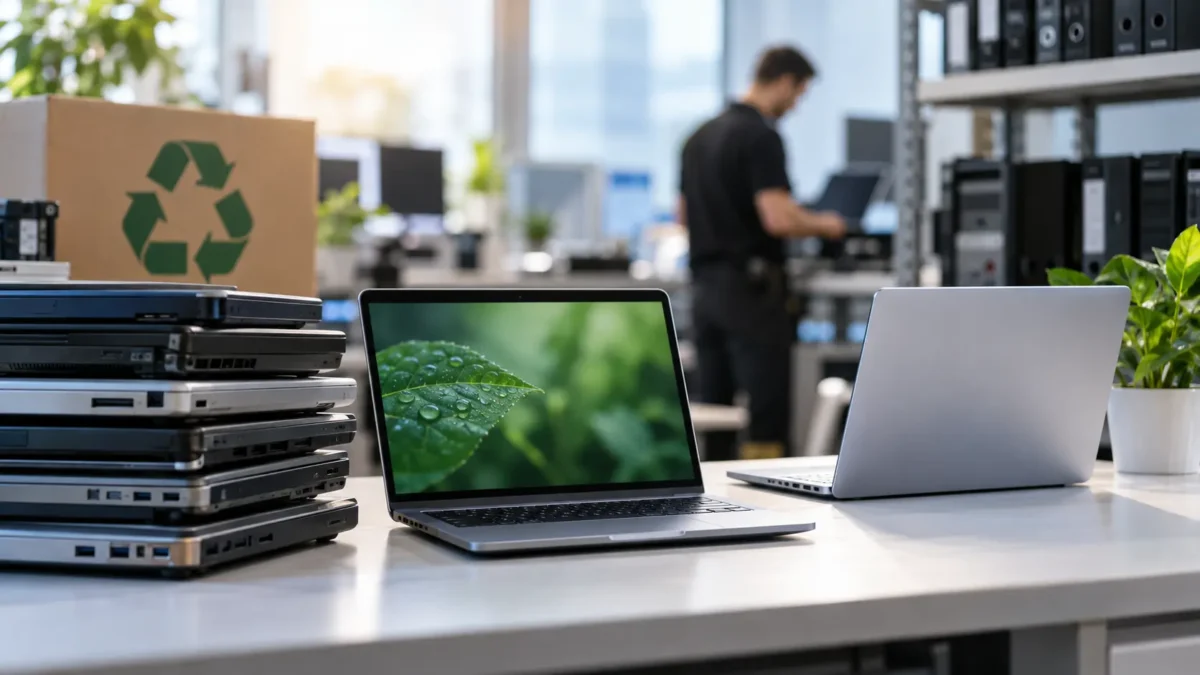
Replacing a company’s IT equipment often involves a significant investment. Computers, laptops, servers and other devices need to be upgraded periodically to maintain performance, security and compatibility with business applications.
But does every device really need to be brand new?
Refurbished technology for businesses is becoming an increasingly attractive alternative for optimising budgets, extending device lifespans and reducing the environmental impact of IT operations.
However, not all refurbished equipment offers the same guarantees, and not every device is suitable for every professional environment.
A computer that performs perfectly well in an administrative role may not meet the requirements of an engineering department. Similarly, a refurbished server may seem financially attractive but have limitations regarding technical support or component availability.
At Inmove IT Solutions, we believe that technology renewal decisions should be based on each organisation’s actual requirements rather than simply the initial purchase price.
In this article, we explore when refurbished hardware can be a worthwhile option, the risks businesses should consider and the situations in which investing in new technology remains the better choice.
What Exactly Is Refurbished Technology?
Refurbished technology refers to devices that have previously been used or returned and subsequently undergo inspection, testing and, when necessary, repairs before being offered for sale again.
Unlike ordinary second-hand equipment, a refurbished device should have passed technical checks to verify that it functions correctly.
This process may include:
- Inspecting internal and external components.
- Replacing damaged or faulty parts.
- Checking the processor, RAM and storage.
- Assessing battery condition in portable devices.
- Securely erasing any previously stored data.
- Installing or preparing the operating system.
- Carrying out functionality and performance tests.
However, it is important to understand that refurbishment procedures are not identical across all suppliers.
Some providers carry out extensive, documented technical inspections, while others simply check whether a device starts correctly.
This difference can determine whether a purchase delivers genuine value or results in additional problems and unexpected expenses.
Benefits of Refurbished Hardware for Businesses
The main advantage of refurbished equipment is usually its lower purchase price. However, several other factors can make it an attractive option as part of a company’s technology management strategy.
1. Lower Initial Investment
Refurbished hardware can often be purchased at significantly lower prices than new equipment with comparable specifications.
This allows businesses to expand or renew certain workstations without necessarily allocating the same budget required for brand-new devices.
For example, a company that needs ten additional computers for administrative tasks may find refurbished business-grade systems with sufficient processing power, memory and storage for its everyday applications.
The potential savings depend on the model, age, configuration, warranty and supplier conditions.
The key is to determine whether the difference in purchase price compensates for a potentially shorter remaining lifespan and any limitations in technical support.
2. Access to Business-Grade Equipment
One of the less obvious advantages of the refurbished market is the opportunity to acquire devices originally designed for professional environments.
Workstations, business laptops and certain servers may offer valuable features, including:
- Robust construction and enterprise-grade components.
- Memory and storage expansion options.
- Connectivity designed for corporate environments.
- Easier maintenance on certain models.
- Business-oriented security and management features.
In some situations, a refurbished business-grade computer may be more suitable for a particular task than a new entry-level device.
However, this comparison should always consider the actual specifications and age of the equipment.
3. Reduced Environmental Impact
Manufacturing electronic devices requires raw materials, energy, water and industrial processes.
Extending the useful life of equipment that can still perform effectively allows businesses to make better use of the resources involved in its production.
This approach aligns with the principles of the circular economy, which aims to reduce waste and encourage product repair, reuse and recovery.
The European Union is supporting this model through initiatives such as the right to repair, designed to make repairs easier and extend the useful life of certain products.
For businesses working towards sustainability objectives, introducing refurbished equipment can help reduce electronic waste.
Nevertheless, the environmental benefits should also be assessed in relation to energy consumption, transport and the device’s remaining useful life.
4. Flexibility for Temporary Requirements
Not every technology requirement involves a long-term investment.
Sometimes, businesses need to temporarily increase the number of workstations, equip a training room or maintain spare devices for emergencies.
In these situations, refurbished equipment can provide a practical solution without placing unnecessary pressure on the IT budget.
The Risks of Buying Refurbished IT Equipment
Although the benefits may be appealing, purchase price should never be the only deciding factor.
Poorly planned purchases can lead to performance issues, incompatibilities and maintenance difficulties.
Remaining Lifespan and Component Wear
A refurbished device has already used part of its expected operational lifespan.
Even when it works correctly at the time of purchase, certain components may show signs of accumulated wear.
Laptop batteries, storage drives, cooling fans and other mechanical components deserve particular attention.
Businesses should therefore request information about their condition and check whether components most exposed to wear have been inspected or replaced.
Compatibility with Operating Systems and Applications
A device can be in excellent physical condition and still be unsuitable for a company’s current requirements.
It is particularly important to verify compatibility with supported versions of Windows, business applications and security tools.
For example, purchasing older computers that do not meet the official Windows 11 requirements may create support and maintenance difficulties.
Businesses should also check whether manufacturers continue to provide drivers, firmware updates and security patches.
A cheap computer that can no longer receive essential updates may turn out to be a poor investment.
Warranties and Spare Parts Availability
Not all suppliers offer the same warranty conditions.
Before purchasing refurbished hardware, businesses should understand which components are covered, how long the coverage lasts and how technical incidents are handled.
It is also important to verify spare parts availability and replacement options.
For critical systems, having a commercial warranty does not necessarily mean that technical support can resolve a failure within a few hours.
Furthermore, warranty terms and legal responsibilities may vary depending on the nature of the transaction. Business-to-business purchases require careful review of the applicable contractual conditions.
Device Security and Provenance
Another essential consideration is understanding where the equipment comes from.
For devices previously owned by other organisations, it is necessary to ensure that all existing information has been properly erased.
Suppliers should be able to demonstrate that appropriate secure data erasure procedures have been followed and confirm that there are no management locks, unknown firmware passwords or administration systems still linked to the previous owner.
Businesses should also verify that the operating system has a valid licence suitable for commercial use.
When Can Refurbished Hardware Be a Good Choice?
Whether refurbished technology is appropriate depends mainly on its intended use and the potential impact of a technical failure.
Administrative Workstations and Office Tasks
Computers used for email, web browsing, business management applications and document processing can be good candidates.
In these cases, a refurbished business-grade computer with sufficient specifications can provide a satisfactory user experience.
Provided that security and compatibility requirements are met, refurbished devices may be suitable for renewing workstations with moderate performance needs.
Replacement and Backup Equipment
Keeping spare devices available allows businesses to respond quickly when a computer fails.
Refurbished hardware can be used to maintain a small inventory of devices ready to temporarily replace faulty equipment.
This approach is particularly valuable for organisations with numerous workstations distributed across different departments.
Training and Testing Environments
Training rooms, laboratories and certain testing environments do not always require the latest generation of devices.
In these situations, refurbished equipment can help control investment costs.
The main requirement is that the devices remain compatible with the necessary tools and offer enough performance for their intended purpose.
Infrastructure with Specific Requirements
There is also a market for refurbished servers, workstations and networking equipment.
However, using this type of hardware requires a more detailed technical assessment.
For servers and storage systems, businesses should pay particular attention to redundancy, manufacturer support, spare parts availability and business continuity requirements.
In critical production environments, the financial impact of downtime can easily exceed the initial purchase savings.
When Is Buying New Hardware the Better Option?
Refurbished hardware should not be considered a universal replacement for new equipment.
There are situations in which investing in modern devices is the more appropriate decision.
These include:
- Demanding applications: design, engineering, data analysis and other workloads requiring recent processors or graphics cards.
- Critical systems: servers and equipment whose unavailability could interrupt essential business processes.
- Future growth requirements: environments that need expansion capabilities and a longer operational lifespan.
- Security requirements: devices that need specific protection features or hardware platforms.
- Manufacturer support: organisations that depend on extended warranties, official maintenance services and contractual response times.
In these situations, purchasing new equipment can provide greater predictability and reduce certain operational risks.
The decision should form part of a technology renewal policy that reflects the needs of each department.
The True Cost of Equipment Goes Beyond Its Purchase Price
One of the most common mistakes when renewing IT equipment is comparing only the initial purchase price.
To determine whether a refurbished device offers good value, businesses should calculate its Total Cost of Ownership (TCO).
This concept includes both the initial investment and the costs of operating and maintaining the device throughout its useful life.
For example, consider two alternatives for a workstation:
- New computer: €850, with an expected useful life of five years.
- Refurbished computer: €450, with an expected useful life of three years.
If we simply divide the purchase price by the expected number of years of use, the annual cost is €170 for the new computer and €150 for the refurbished one.
At first glance, the refurbished device appears to offer better value.
However, if it requires a battery replacement, additional repairs or more technical support during those three years, the savings may be reduced.
Electricity consumption, software licences, employee productivity and the potential cost of downtime should also be considered.
These figures are illustrative and should not be interpreted as general estimates of prices or equipment durability.
A well-informed purchasing decision must therefore consider the entire device lifecycle.
How to Include Refurbished Technology in a Business Hardware Renewal Strategy
Introducing refurbished equipment should be a planned process, particularly in organisations managing dozens or hundreds of devices.
A recommended strategy may include the following steps:
- Assess the existing IT inventory. Identify devices, age, condition and replacement requirements.
- Classify workstations. Distinguish administrative users, technical professionals and critical systems.
- Define minimum specifications. Establish processor, memory, storage, compatibility and security requirements.
- Select specialised suppliers. Check refurbishment procedures, warranties and equipment provenance.
- Conduct a pilot test. Validate performance using the company’s actual business applications.
- Evaluate total costs. Compare purchase price, maintenance and expected lifespan.
- Plan ongoing support. Include the equipment in the IT inventory, update policies and maintenance procedures.
This approach helps identify where refurbished hardware makes sense without compromising business operations.
At Inmove IT Solutions, we work with multi-brand hardware and business IT systems, helping organisations select technology that matches their specific requirements.
Effective IT asset management should also be supported by professional business IT maintenance services to prevent incidents and keep devices operating reliably.
A Hybrid Strategy: Combining New and Refurbished Equipment
For many businesses, the most efficient decision is not to choose one option exclusively.
A hybrid strategy allows organisations to deploy new technology where performance requirements are highest while considering refurbished devices for less demanding roles.
For example, a company might purchase new workstations for technical departments while using refurbished business laptops for certain administrative positions.
It could also maintain refurbished devices as replacements, avoiding urgent purchases when equipment failures occur.
This combination helps allocate budgets according to the importance of each system.
However, maintaining a reasonable degree of standardisation is important to avoid an excessively diverse IT environment that makes driver management, spare parts and technical support more complicated.
The objective should not be to purchase the cheapest device, but to provide the right equipment for each business requirement.
Frequently Asked Questions About Refurbished Technology for Businesses
These are some of the most common questions businesses should consider before introducing refurbished devices into their IT environment.
Are Refurbished Computers Reliable for Business Use?
They can be, provided they come from a specialised supplier, have passed appropriate technical tests and include suitable warranty coverage.
Reliability depends on the device’s condition, age, refurbishment quality and intended use.
How Long Can a Refurbished Computer Last?
There is no universal lifespan. It depends on the model, previous usage, component condition and software requirements.
Before purchasing, businesses should estimate the remaining useful life and verify how long the device will continue receiving updates and support.
Are Refurbished Computers Secure?
They can be used securely if they support compatible operating systems, receive updates and meet corporate security requirements.
It is also essential to verify that previous data has been securely erased and that the device comes from a trustworthy source.
Is Buying Refurbished Servers Recommended?
It depends on the environment. Refurbished servers can be useful in laboratories, testing environments or certain non-critical workloads.
For production systems, technical support, redundancy, spare parts availability and the impact of a possible failure must be carefully assessed.
What Warranty Should Refurbished Business Equipment Have?
Businesses should review the terms agreed with the supplier, including warranty duration, coverage, exclusions, component replacement and repair procedures.
Business-to-business transactions should not automatically be assumed to have the same legal conditions as purchases made by individual consumers.
Conclusion: Is Refurbished Technology Worth Considering?
Refurbished technology can be an attractive alternative for certain business requirements.
It allows organisations to continue using professional equipment that still provides adequate performance, reduce initial investment and contribute to a more sustainable approach to technology consumption.
However, it should not be considered the right solution for every situation.
Equipment age, available support, compatibility, security and total cost of ownership are essential factors to assess before making a decision.
Ultimately, the best strategy is not always to buy new equipment or automatically choose the cheapest option, but to invest in technology that meets the real needs of the business.
Is Your Business Planning an IT Equipment Upgrade?
At Inmove IT Solutions, we help organisations assess their technology infrastructure, select appropriate equipment and plan upgrades that balance performance, security and budget.
Explore our business computing and IT equipment solutions and discover how we can help optimise your IT infrastructure.
Contact us through Inmove IT Solutions to discuss your company’s technology requirements and evaluate the most suitable alternatives.